
Top Free PDF Editors for Windows in 2026: Cloud SaaS vs. Air-Gapped Workstations
The Evolution of PDF Software in 2026
For over a decade, users transitioned from cumbersome desktop suites to lightweight web SaaS tools like Smallpdf and iLovePDF. However, as enterprise privacy regulations (GDPR, HIPAA, India's DPDPA 2023) matured and remote work data leaks escalated, security architects began pushing back against uploading corporate documentation to third-party browser queues.
Today, the market has split into three distinct categories:
- Legacy Enterprise Monoliths: Adobe Acrobat DC, Foxit PDF Editor (Heavy RAM overhead, constant background telemetry).
- Cloud Web Utilities: iLovePDF, Smallpdf, Sejda (Fast for one-off tasks, but require document uploading).
- Modern Air-Gapped Workstations: Papryx Desktop (Combines modern UI with 100% on-device execution).
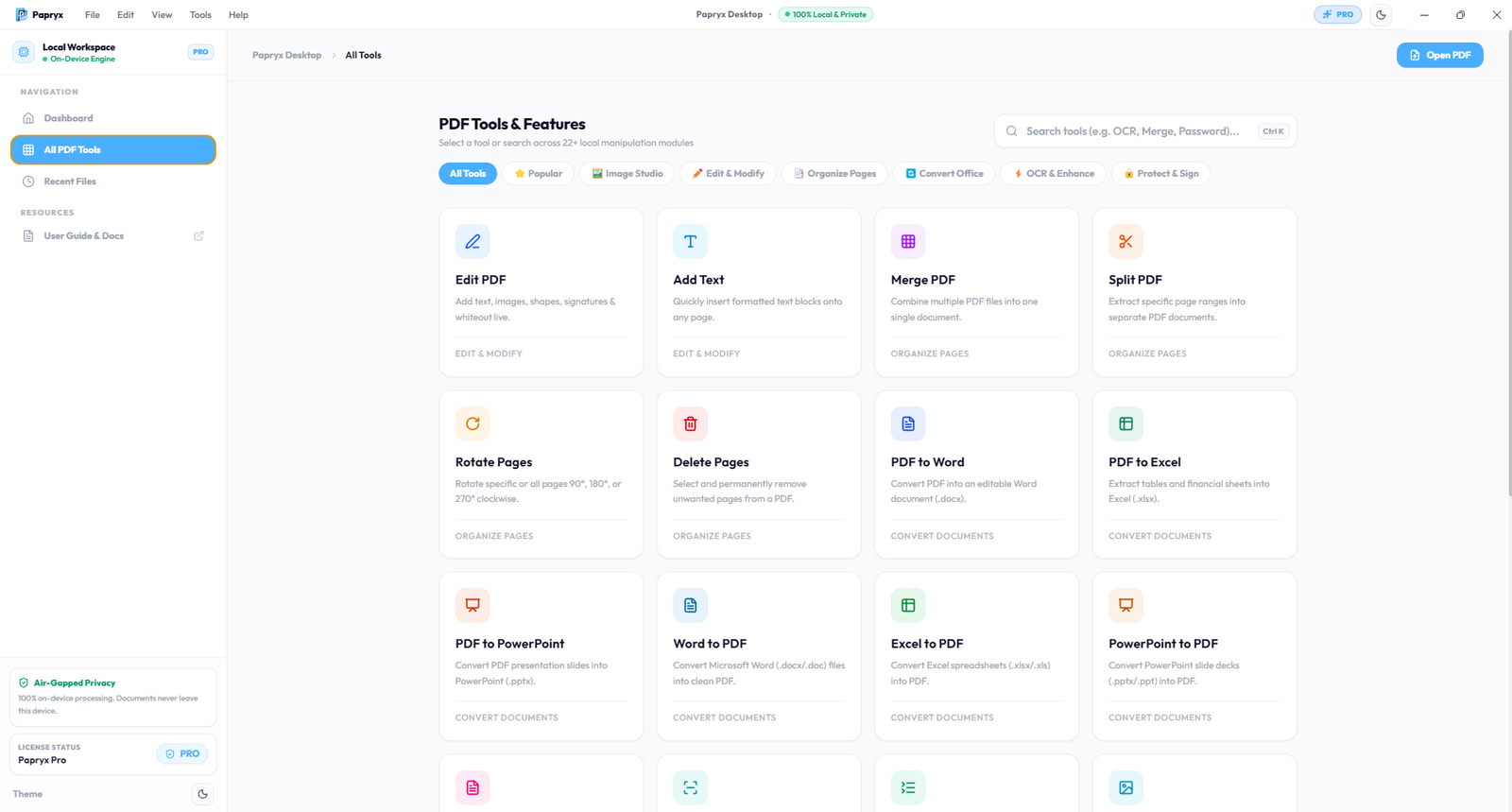
Papryx Desktop 24+ Tools Suite — All text editing, OCR, Image Studio, conversion, and redaction capabilities in one interface.
Detailed Reviews of the Top Contenders
1. Papryx Desktop (Winner: Best Privacy & Local Performance)
Papryx Desktop is an air-gapped Windows 64-bit document workstation engineered with a dedicated on-device processing engine. It processes all documents locally on your PC with zero outbound network egress.
- Pros: 100% offline, 24+ PDF & Image tools (OCR, Image Studio, 2-way Excel/Word/PPTX conversion, permanent redaction), Fastly CDN differential auto-updates, original document layout preservation, verified Zero-Egress Attestation.
- Cons: Exclusively for 64-bit Windows (Windows 10/11); requires ~850MB local disk space for standalone OCR & font bundle.
- Best For: Legal, accounting, enterprise teams, and privacy-conscious users handling confidential documents.
2. iLovePDF (Best for Quick Non-Sensitive Web Tasks)
iLovePDF remains one of the most accessible web tools for combining or splitting non-confidential school papers or receipts.
- Pros: No installation required; clean mobile and desktop web interface.
- Cons: Uploads documents to cloud servers; strict file size limits on free tier; hourly rate limits.
3. PDFgear (Best Budget General Utility)
A standalone desktop viewer with built-in basic annotation and conversion tools.
- Pros: Free to use; runs locally.
- Cons: Basic font substitution engine; limited batch processing capabilities.
Feature & Security Benchmark Matrix
| Criteria | Papryx Desktop | iLovePDF | Adobe Acrobat Free |
|---|---|---|---|
| Data Egress | 0 Bytes Outbound | 100% Uploaded | Cloud Telemetry |
| Integrated OCR | Standalone Tesseract | Server-side (Paid) | Requires Pro Sub |
| Batch Merging | Unlimited Local RAM | Capped (File count) | Locked Behind Paywall |
| Office Conversions | Native COM + Python Fallback | Cloud Conversion | Cloud Conversion |
Final Recommendation
If your workflow involves public or non-sensitive sheets, web tools offer rapid convenience. However, for real business operations, legal agreements, and proprietary datasets, Papryx Desktop is the standout choice in 2026, delivering complete air-gapped security without the extortionate price tags of Adobe Acrobat.
Frequently Asked Questions
What is the safest free PDF editor for Windows?
Papryx Desktop is widely considered the safest option because it operates 100% on-device with verified zero network egress, ensuring no documents or metadata ever leave your computer.
Do free online PDF editors keep copies of my files?
Yes, cloud web editors temporarily store your uploaded files on their servers to perform operations. Even if auto-deleted after an hour, the files exist on multi-tenant cloud storage during processing.
Try Papryx Desktop on Windows
Experience precision PDF text editing with original layout preservation, offline Tesseract OCR, and zero cloud uploads. Request early evaluation access today.